Total Pageviews

Tuesday, 16 August 2011

Fake Firefox Update contains Trojan

The Fake Firefox Update contains Trojan, which will definitely harm your computer as well as your web contant. The trojan can steal your password as well as automatically delete your files stored in it!!! This trojan can even delete your web accounts!!! So update your Firefox untile surely come to know that it is safe!!! I have no clue which update is Trojan Free, but Update only when your Browser notify you to do it. Turn On your Browser Notifications. If you have Internet Security then you are probably safe. 

Below Some of the Harm and Incidents which are already happened: -
  • Fake Firefox update includes password-stealing trojan
    Security specialist Sophos reports that it has discovered new spam email messages that claim to be an advisory related to an update to the open source Firefox web browser. The fake advisory asks users to update their Firefox installations, “for security reasons”, and includes a download link to the supposed update.
  • Malware network gains from new malvertising attack
    A malware delivery network said to be the world’s largest has tapped on Web advertisements as its latest modus operandi for fake antivirus attacks, according to Blue Coat Systems.
  • Images used to break into BlackBerry servers
    RIM has issued a warning of a critical security hole in its BlackBerry Enterprise Server, which attackers can use to compromise a system remotely.
  • Consumers Union: Beware when buying by cell phone
    T-Mobile USA customers who purchase digital goods online and opt to have the charge show up on their phone bill are vulnerable to fraud, according to Consumers Union.
  • Hong Kong stock exchange halts trading after hack attack
    Hackers broke into the Hong Kong stock exchange news Web site this past Wednesday, forcing the exchange to suspend trading of seven companies, according to The Wall Street Journal.
  • Google also passes on European data to US authorities
    Google is making data that is stored in its European data centres accessible to authorities in the United States. When asked by the German language WirtschaftsWoche magazine, a company spokesperson said that Google has passed on European user data to US intelligence services on several occasions.
  • Apple updates malware definitions for fake Flash Player trojan
    With the most recent trojan threat in the fake Flash installer, Apple has again updated its XProtect definitions property list, so in the next day or two OS X systems will be updated to automatically handle this threat if exposed to it.
  • 22 holes closed in Microsoft’s August Patch Tuesday
    As announced, Microsoft has issued 13 bulletins to close a total of 22 vulnerabilities on its August Patch Tuesday. Most of the holes are in Internet Explorer, as described in bulletin MS11-057.
  • Adobe fixes critical vulnerabilities in four products on patch day
    On its official patch day, Adobe has released updates to fix security vulnerabilities in five products: Shockwave Player, Flash Media Server, Flash Player, Photoshop CS5 and RoboHelp.
  • North Korea’s army of online game hackers
    The New York Times reports that North Korea has unleashed a squad of hackers to infiltrate South Korean gaming sites. The two countries have technically been at war for almost 60 years, and cyber-attacks are the modern-day equivalent to a slap in the face.
  • Free web service cracks internet kiosks
    At the Defcon hacker conference, which ended on Sunday, New Zealand security specialist Paul Craig released version 5 of iKAT (Interactive Kiosk Attack Tool). iKAT is a free web service that tries to bypass the protective mechanisms of internet kiosk PCs and gain control of the systems.
  • Firefox 8 to tell aggressive add-ons to back off
    Mozilla is taking steps to protect users from programs that install add-ons in Firefox without user permission, citing numerous reasons including security concerns and the desire to make sure that the person using Firefox has ultimate control of the add-ons installed.
  • Twitpic founder says Heello to Twitter clone
    Noah Everett is looking to take out the bird with one clone. The Twitpic founder appears to be serving up a bit of revenge with his latest venture, Heello, a feature-for-feature Twitter clone, right down to the “@” symbol and the pastel tones.
  • Cisco and Twitter join Linux patent protection pool
    Cisco, the networking giant and Twitter, the social networking company, have joined the Linux patent protection organization, Open Invention Network, along with a host of other companies.
  • Researchers: Anonymous and LulzSec need to focus their chaos
    The online vigilante groups Anonymous and LulzSec are weakening their cause with scattershot attacks and need to get more intelligent and focused, according to a panel of computer security experts at the DefCon hacker conference in Las Vegas.

@@@ Follow us on Facebook and Twitter @@@


Share/Bookmark

Monday, 15 August 2011

Direct Download Windows 7 - All Editions

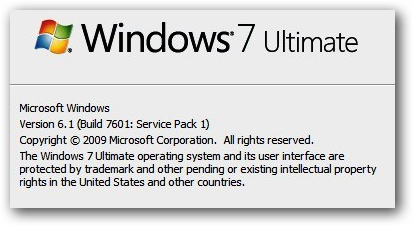
Microsoft windows 7 Service Pack 1 (SP1) is now available for download since past few months, the free SP1 update to Windows 7 was pushed as KB976932 via Windows Updates publicly in February this year. Microsoft has now mad available official direct download links to bootable Windows 7 SP1 integrated disc images in standard .iso format, these new SP1 slipstreamed images has the added advantage that users will have an up-to-date installation just after the initial setup.

Shop Now - Artfrost.com


The direct download links are from Microsoft Official mirror provided by Digital River and allows users with the usual 30 days of evaluation time after which they need to activate using a legitimate key. These .iso files can be burnt as bootable DVD discs or bootable usb sticks as demoed. 

Official Windows 7 SP1 ISO Download Links (English): -


To Activate The Windows 7 Key (All Editions): -

To make Bootable DVD or Bootable USB: -


Share/Bookmark

Saturday, 13 August 2011

How to Host your Website with Fully Featured Web-Hosting for Free

Hello Guys, In this post am going give you a Chance to Grab a Full-Year of Free Web-Hosting Powered by another popular server management software Plesk
The Free year Hosting offer comes from known Premium Web-hosting service provider JumpLine and you can rest assured you are into good hands while looking to kick-start your Website.


Free One Year Hosting Package Includes the Following Features: -

1) 10GB Storage.
2) 100GB Bandwidth (monthly)
3) Daily Backups
4) Powered By Plesk 9.5 Control panel.
5) 140+ Applications
6) Ability to Host up to 10 Domains

@@@ Follow us on Facebook and Twitter @@@


Share/Bookmark

Friday, 12 August 2011

Apple iPhone 5 Rumored Images And Video Roundup

Apple iPhone 5 would be the most eagerly awaited gadget of this year, with an expected announcement and public availability in September or October this year here is an complete rumor roundup (images and video) of the yet to be announced device


@@@ Follow us on Facebook and Twitter @@@


Share/Bookmark

Thursday, 11 August 2011

How To Use an External GPS Device with Your iPad or iPhone


If you bought a Wi-Fi only iPad and now you wish you could use GPS with it, this is the guide for you. Follow along to hook your iPad up to an external GPS unit and/or GPS-enabled smartphone phone.

There are a few reasons why you may want to undertake this quick project. Among those reasons: you have a GPS device with a long battery life and more accurate results than your iPhone or you have a Wi-Fi only iPad and want to add in mapping capabilities using GPS instead of coarse Wi-Fi location data.


What You’ll Need: -
       
1) An jailbroken iOS device (we’ll be using an iPad)
2) BTStack GPS (Available in the Cydia store from the Big Boss repository, $5)
3) A GPS receiver capable of sending coordinates via Bluetooth (we’ll be using an Android phone)
Installing BTStack GPS: -


1) Launch Cydia on your iOS device and use the store search function to search for BTstack GPS.

2) You should have the BigBoss repository active, if not you’ll need to activate it!!

3) Activate it by navigating to the main Cydia screen and clicking More Package Sources.

4) Once you’ve located BTstack GPS install it (the application is $5 and you can pay using PayPal or Amazon Payments). 

5) If you’re not sure if you want to shell out $5 for the application you can download it as a demo. 

6) In demo mode you’ll be able to see if your GPS device will connect properly but BTstack GPS will not share the GPS information outside of the primary application. 


After the application is installed hit up the Settings menu on your iOS device. You’ll want to do two things. First, look under the General Settings menu to make sure the native iOS Bluetooth is turned off. Second, look under the Extensions menu and click BTstack. BTstack, no iOS, should be checked.

Installing an Android Bluetooth Forwarder: -


Currently there are about a half dozen applications on the market that meet the needs of someone who wants to link their Android GPS chip to an external source via Bluetooth.


We had luck with Bluetooth GPS, alternatively you may want to try out ShareGPSNetwork/Bluetooth GPS, or Bluetooth GPS Output


1) Pairing Your Device

At this point your iOS device is using the alternative Bluetooth stack. Now it’s time to check out the actual GPS application paired with the BTstack. There should be a new icon on your springboard, simply labeled GPS. Click on that and you’ll see a very Spartan interface that simply lists the devices. On first launch is should say “Searching…” and if you have your Bluetooth device in discovery mode it will appear shortly. In the screenshot above you see our Android device after we scanned for available Bluetooth devices and the pairing prompt we sent the the iPad. In the screenshot below you see the result of that pairing prompt:

2) Once you connect the two, BTstack should kick you over to the mapping screen. If it doesn’t just tap the name of the paired device in the device list. You should see something like the following:
3) After a few seconds the GPS signal will fully resolve and you’ll see additional information.

NOTE: If the connection does not resolve then you need to try out a different GPS application on your Android device

@@@ Follow us on Facebook and Twitter @@@


Share/Bookmark